MM3 VIN LICENSE PURCHASE

MM3 VIN LICENSE PURCHASE

$150.00

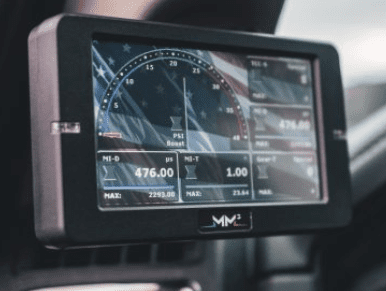
Have you purchased a used MM3 tuner and need a VIN license so that you can use Motorsports Arsenal tuning packages? This MM3 VIN license request process allows you to add a new VIN license to your MM3 so you can flash our tuning files.

Important: Update your SD card before starting – DO NOT update the SD card in the middle of the license request/install process. The process is more specifically outlined in the description below – but you can call us SEVEN DAYS A WEEK if you have questions!

$150.00

This box to hold info for additional payment options such as paypal or affirm

MM3 VIN License for Used MM3 Monitors

If you purchased a used MM3 tuner and want to flash our Motorsports Arsenal tuning packages, you will need a VIN license before you can flash tunes to your truck. This process allows your MM3 device to be licensed for the vehicle you want to tune.

We make the process fast and straightforward so you can get your MM3 ready for your tuning package without unnecessary delays.

Important Before You Start

BEFORE requesting your VIN license UPDATE YOUR SD CARD AND THE MONITOR. DO NOT update the SD card in the middle of requesting and installing the license. If the SD card is updated during the process, the new VIN license may not work and may need to be rewritten, which can take additional time.

How to Request Your MM3 VIN License

  1. Power on your MM3 tuner.
  2. Go to the Main Menu.
  3. Select Config Tools.
  4. Press Page Up using the arrow-up option.
  5. Select Unlock Codes.
  6. Select Request Unlock Codes.
  7. Select the number of licenses you need, such as +1 LIC.
  8. Select Order Now.
This will create a file on the root of your SD card named UCR.MM3. This is your license request file.

Removing the SD Card

  1. Exit all selections until you return to the MM3 Main Menu.
  2. Power down the tuner by turning off the key (and waiting until the monitor shuts off) or unplugging the MM3 from the truck’s diagnostic port.
  3. Remove the SD card from the top-left corner of the monitor by lightly pushing down on it.
  4. Insert the microSD card into the SD card adapter that came with your MM3, or use another compatible card adapter.
  5. Connect the SD card to a Windows-based computer using a USB port.
  6. Drag and drop the UCR.MM3 file into an email to us – our email address is armorer@motorsportsarsenal.com

Submitting Your License Request

Email the UCR.MM3 file to: armorer@motorsportsarsenal.com You can continue shopping at that point or go checkout using the icons in the upper right corner of this page. Once the invoice has been paid, we will work to create your license file which will be sent to you with further installation instructions.

Who This Is For?

  • Customers who purchased a used MM3 tuner
  • Customers who need to add a VIN license to an MM3 device
  • Customers preparing to flash Motorsports Arsenal tuning packages
If you are unsure whether your MM3 already has an available VIN license, contact us before proceeding so we can help verify the best next step.

Related Products